Restyle a photo, keep the face
Photo to Cartoon Dancer
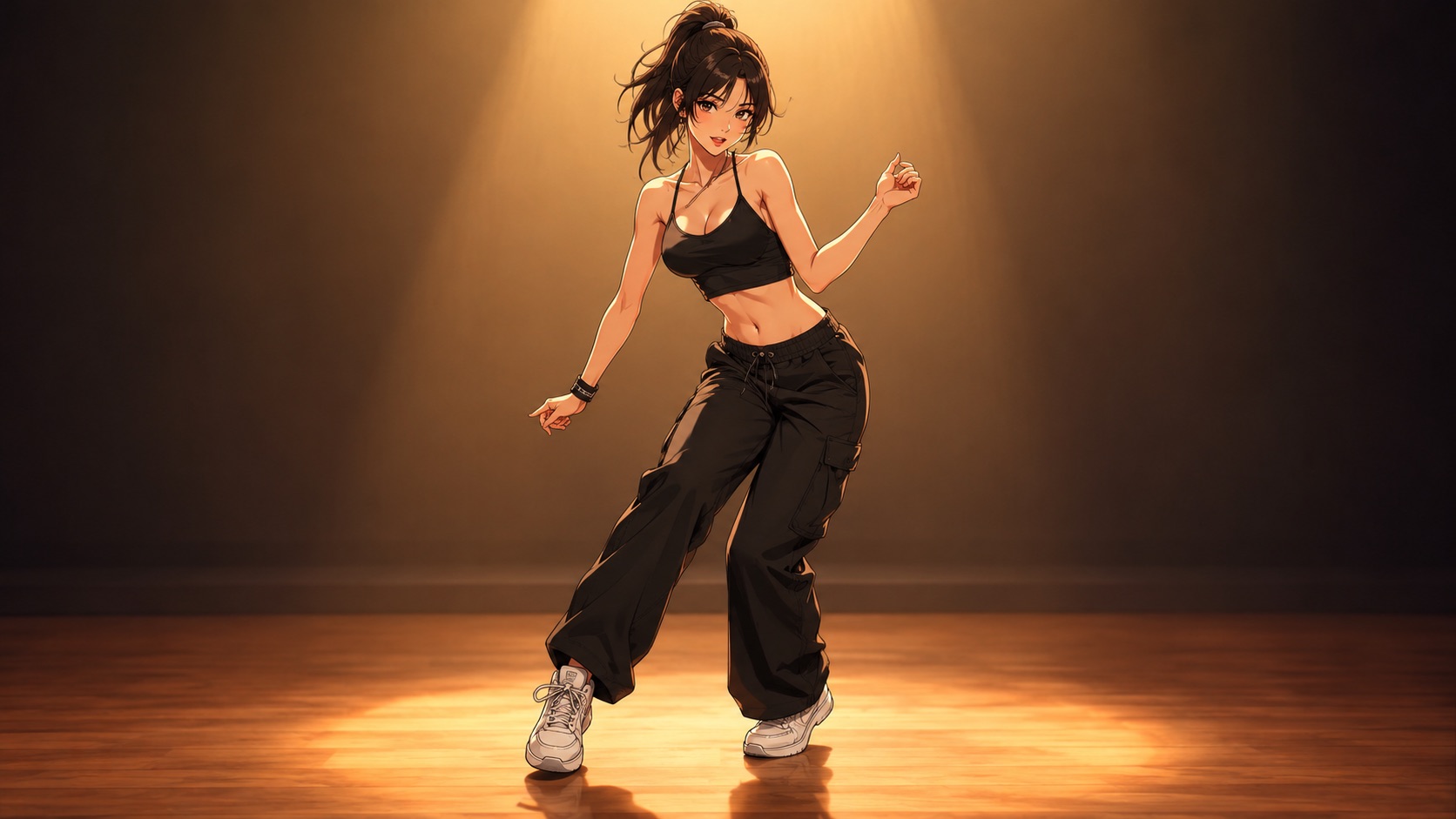
A cartoon dancer image is a restyle, not a redraw. The model keeps the face and pose from your photo and changes the rendering: ink lines, flat colour, cel shading or a painted comic look.
One free 480p · 5s video preview per account. Image renders from 3 credits. No watermark.
The short answer
Upload one photo, choose a cartoon style and GPT Image 2 renders an edited image at 1K for 3 credits. The face and pose stay recognisable; the line work, colour and shading change. The result can then be animated in the video studio.
Short text renders more reliably than long paragraphs. Add the small print in a design tool.
Specs at a glance
- Model
- GPT Image 2 (image-to-image)
- Input
- One photo
- Styles
- Anime cel, comic ink, flat vector, painterly
- Resolution
- 1K or 2K
- Cost
- 3 credits at 1K, 6 credits at 2K
- Next step
- Animate the image in the video studio
How it works
- 1
Upload a clear photo
Face and upper body visible, one person, even light. The model needs a clean reference to keep the likeness through the restyle.
- 2
Choose one cartoon language
Cel-shaded anime, western comic ink, flat vector or painterly. One style per render; mixing three produces mud.
- 3
Keep the pose
Say “keep the original pose and framing” if you want to animate it later. A restyle that changes the pose is a new image, not an edit.
- 4
Animate the result
Download the cartoon, upload it to the video studio and generate a short dance. The cartoon becomes the reference, so the style survives the motion.
Restyle versus redraw
A restyle keeps the structure: the same face, the same pose, the same framing. A redraw invents a new character inspired by the photo. The prompt has to say which one you want. “Keep the original pose, framing and facial features; change only the rendering” is the restyle instruction.
The strongest restyles are specific. “1990s cel-shaded anime with thick ink lines and flat skin tones” gives the model a target. “Make it cartoon” gives it a genre with a thousand looks.
Keeping the likeness
A cartoon is an abstraction, so likeness is carried by a few anchors: face shape, hairline, eyebrows, eye spacing, and any distinctive feature such as glasses or a beard. A high-resolution, front-facing photo preserves those anchors; a blurry photo loses them.
If the result looks like a generic cartoon person, the photo is usually too small or too stylised already. Try a sharper photo before adding more adjectives to the prompt.
- Front-facing, eyes visible
- No heavy beauty filter on the source
- One person in frame
- Say “keep the face recognisable” explicitly
From image to animation
A still cartoon is a good asset; a dancing cartoon is a better one. The video model accepts the cartoon as a reference image, so the style and the character carry into the clip. Keep the motion small — a two-step and a shoulder roll — because stylised proportions warp more easily under big movement.
This two-step workflow — image first, video second — is also the most reliable way to keep a character consistent across several clips. The image locks the design; the video only adds motion.
What people use it for
Profile pictures
A cartoon avatar that still looks like you is more distinctive than a filter and more personal than a generic illustration.
Animated series
Build a consistent cartoon character from a photo, then animate short dance clips for a faceless channel.
Band and creator merch
A cartoon portrait works on a sticker, a shirt or a cover without needing a photo licence for every use.
Kids’ and family content
Turn a family photo into a cartoon dance for a birthday video. Keep the poses simple and the background clean.
Frequently asked questions
Read the guide first
Longer, evidence-based walkthroughs for people who want the prompt, the settings and the failure modes before spending credits.
 Photo to dance video: what the AI keeps and inventsWhat actually carries over from a still photo, what the model invents, the most common motion artifacts, and how clip length and resolution change the result.
 Dance Poster and Thumbnail Guide: One Face, Few WordsA dance poster is read up close; a thumbnail is read at a glance. Safe areas for TikTok, Reels, Shorts and YouTube, plus a one-photo workflow for both.