Dance Poster and Thumbnail Guide: One Face, Few Words
A dance poster is read up close; a thumbnail is read at a glance. Safe areas for TikTok, Reels, Shorts and YouTube, plus a one-photo workflow for both.
 By Wipe Me Down Dance AI Team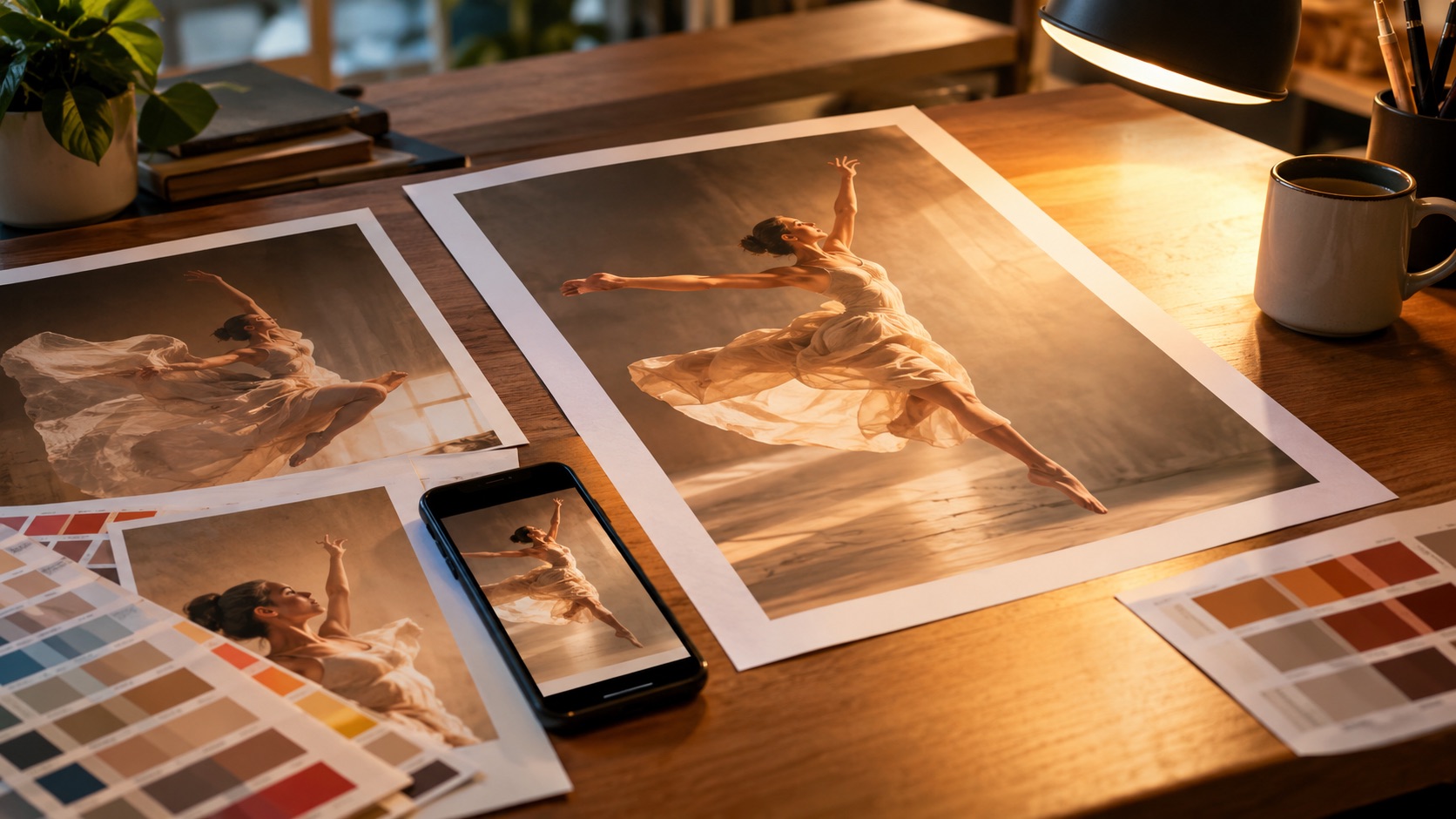
A dance poster and a dance thumbnail can start from the same photo, but they are not the same image at two sizes. A poster is read at arm's length, often after someone has already decided to care. A thumbnail is read at a glance on a phone, usually while the viewer is scrolling past it.
That difference drives every other decision: faces, words, where the subject sits, and how much of the image the platform covers. This guide covers both formats, the safe areas for TikTok, Reels, Shorts and YouTube, and a one-photo workflow for a consistent channel face. The poster maker and thumbnail maker are the pages behind the examples.
A poster and a thumbnail are different jobs
| Format | Poster | Thumbnail | | ---------------- | ------------------------------------------ | ----------------------------------------- | | Reading distance | arm's length, or a printed sheet | phone at a glance, around 320 pixels wide | | Job | announce an event or set a mood | stop the scroll | | Text budget | a headline, a date, maybe a one-line label | three or four words | | Faces | one is still best | one, close and readable |
A poster is not a programme. One subject, one light, a headline and a date is a poster; ten acts, five sponsors and a QR code is a design-tool layout.
A thumbnail is not a poster shrunk to 320 pixels. At that size, three faces become a texture, a five-word headline becomes a grey block, and the background becomes noise.
Safe areas: where the platform puts its own controls
Every vertical platform draws its interface over the cover. TikTok and Reels put a caption and username at the bottom and buttons down the right edge; Shorts uses the same space for its title, channel name and buttons. Content under those elements disappears.
| Surface | Frame | What the platform covers | Keep clear | | ----------------- | ----- | ------------------------------------------------------------- | ---------------------------------------------------- | | TikTok feed | 9:16 | caption and username at the bottom, buttons on the right | face and headline in the upper two-thirds and centre | | Instagram Reels | 9:16 | caption at the bottom, buttons on the right | same upper-two-thirds rule | | YouTube Shorts | 9:16 | title and channel around the lower area, buttons on the right | same upper-two-thirds rule | | YouTube long-form | 16:9 | duration badge in the bottom-right corner | headline left or top, face right, corner empty |
Safe areas change with app versions, so check the cover on the phone you post from. The stable rule is the upper two-thirds and the centre: keep the bottom fifth free on vertical covers, and the bottom-right corner free on a 16:9 thumbnail.
Why short text works and long text fails
At phone size, three or four words are a shape before they are a sentence. "NEW TREND" reads in one glance. "NEW TREND DANCE CHALLENGE DAY 1" reads as a paragraph, and the viewer has already scrolled.
- Three or four words is the working budget.
- One idea per image: a date, a hook, a reaction.
- High contrast between text and background.
- One accent colour, not five.
- Examples that fit: "FRIDAY NIGHT", "OPEN FLOOR", "DAY 1", "POV: YOU", "NEW TREND".
GPT Image 2 can place short text: a headline, a date, a small label. It is not a layout engine. A full programme with ten acts, sponsor logos and a QR code will drift, and the longer the text, the more likely it is to be misspelled. Generate the artwork and headline, then add the small print in a design tool where the text is real text.
Long text also competes with the face for pixels. A thumbnail is a recognition task, not a reading task.
One face: using a photo to keep a channel consistent
GPT Image 2 accepts a text prompt or one reference photo. The image-to-image path is a restyle mode: it keeps the structure of the photo you upload, including the face and pose, and changes the rendering, light and background. That is what makes a consistent channel possible.
- Upload the same clear, front-facing photo each time.
- Keep one person in frame, with the face and upper body visible.
- Use even light, no heavy beauty filter and no motion blur.
- Keep a signature outfit or colour if the series should be recognisable.
Without a photo, the model invents a face, and the next thumbnail invents a different one. For a channel, that is the difference between a brand and a pile of images. The model keeps what you give it, but it cannot remember last week's render.
A 1K image costs 3 credits and a 2K image costs 6. Check the composition at 1K, then re-render at 2K only for print or a large screen.
Building a poster in five decisions
- Choose the frame first. 9:16 for a phone cover, 1:1 for a feed post, 16:9 for a screen. A composition designed for 16:9 crops badly to 9:16.
- Choose the input. A photo keeps the person recognisable; a text-only scene suits a silhouette, a fictional character or a venue announcement.
- Use one subject and one light. Two subjects split attention; five lights flatten the image.
- Leave negative space for the headline: empty sky, a dark wall, the upper third.
- Add a headline and, if needed, a date. Not a lineup, a QR code or a paragraph.
A starting prompt:
A vertical dance poster: one dancer frozen mid two-step under a single warm spotlight, dark stage, subtle haze. Bold short headline at the top reading "FRIDAY NIGHT", a small date line at the bottom. High contrast, clean composition with empty space around the headline. No extra limbs, no logos, no watermark.
The poster maker accepts a photo or a written scene, renders at 9:16, 1:1 or 16:9, and returns an image with no watermark. A 1K test costs 3 credits; a 2K final costs 6.
Building a thumbnail that survives a feed
Start with the crop, not the prompt. A thumbnail is read at roughly 320 pixels, so the face should fill much of the frame before you upload. A group photo becomes a texture; a full-body shot makes the face too small. Crop to one person, medium close-up.
Then decide the frame. 9:16 for TikTok, Reels and Shorts; 16:9 for YouTube long-form. Do not design for one and crop to the other.
- One clear expression: surprised, mid-laugh, focused, defiant.
- One simple background: a colour, a wall, a dark studio.
- Three or four words in the upper third or top-left.
- The bottom fifth empty on a vertical cover.
- The bottom-right corner empty on a 16:9 thumbnail.
Check the result at phone size before you post. If the face and the words do not read in one second, the thumbnail is too busy.
The thumbnail maker uses GPT Image 2 at 1K for 3 credits or 2K for 6. For a screen, 1K is enough; for print, use 2K.
Animating the poster afterwards
A poster does not have to stay still. Download the image, upload it to the video studio as the reference photo, choose one of the four looks (Classic, Hype, Smooth or Cute), and render 5, 8, 10 or 12 seconds at 9:16, 1:1 or 16:9. Seedance 2.0 returns a silent MP4 with no watermark.
- Keep the motion small: a two-step, a shoulder roll, a slow weight shift.
- A headline baked into the image can wobble during animation. Animate a text-free plate and add the type in an editor.
- Keep the same reference image across clips so the character stays consistent.
Budget both steps. The image is 3 credits at 1K or 6 at 2K. The video is 12 credits at 480p and 12 seconds, 26 at 720p and 12 seconds, or 64 at 1080p and 12 seconds. The 480p, 5 second preview is 5 credits, and the first preview on an account is free, so a 3-credit poster can become a test clip for 5 more or a final clip at 26.
For a stylised character, the photo-to-cartoon-dancer tool is another route. It restyles one photo with GPT Image 2, keeping the face and pose while changing the rendering, and the cartoon can then be animated. That keeps a character consistent across thumbnails, posters and clips.
Common mistakes
- Shrinking a finished poster into a thumbnail. The density that works at arm's length fails at phone size.
- Putting the headline in the bottom fifth. The caption covers it.
- Asking the image model to typeset a lineup, sponsor logos or a QR code. Generate the artwork, then add real text and codes in a design tool.
- Using a group photo as the reference. The model needs one person to keep one face.
- Animating a text-heavy poster and expecting the lettering to stay fixed. Text in a video model tends to drift.
FAQ
Can I keep the same face across a series?
Yes. Upload the same clear photo each time and change the expression, light or background. The reference holds the identity; a text-only prompt invents a new face each render.
Can I animate the poster?
Yes. Download the image, upload it as the reference photo in the video studio, and render 5, 8, 10 or 12 seconds. Keep the motion small, and animate a text-free version if you need the lettering to stay clean.
Build the poster described here
The guide’s prompt is loaded and editable. You only need a photo.
Wipe Me Down Dance AI TeamWipe Me Down Dance AI turns a photo — or a written prompt — into a short dance video. An independent tool, not affiliated with Foxx, Lil Boosie, Webbie or Trill Entertainment.