Text to Dance Video Guide: Prompt Structure That Works
The five-part prompt for a text-to-dance clip: subject, wardrobe, room, motion and camera, plus guardrails, consistency tricks and fixes for common failures.
 By Wipe Me Down Dance AI Team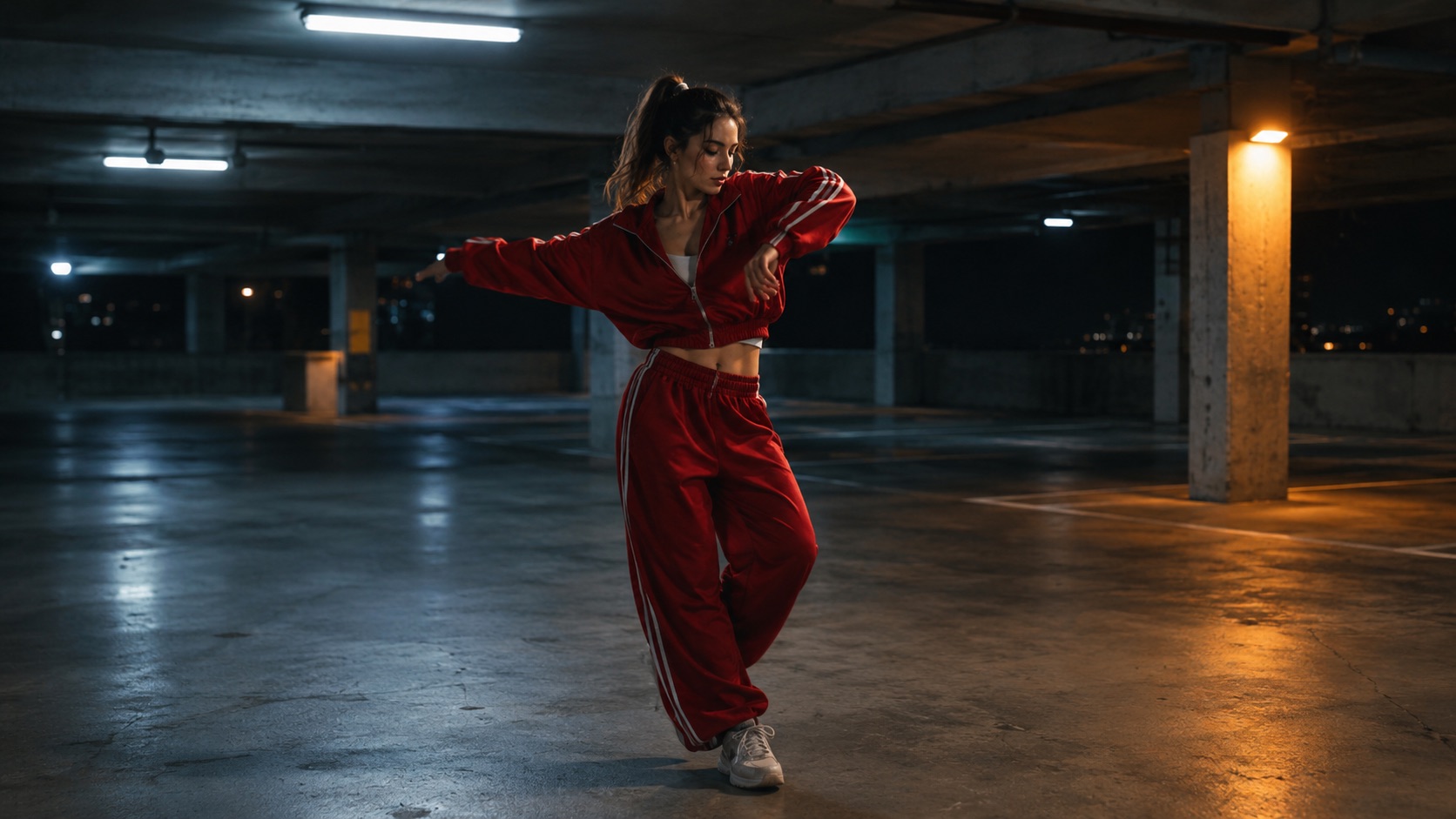
Text-to-dance mode removes the photo. You describe a person, an outfit, a room and a movement, and Seedance 2.0 builds the clip from those words. With no reference image, every render can produce a different face, body and room.
This guide covers the prompt structure that gives the model the most to work with: five parts in a fixed order, a guardrail sentence, one motion instead of three, and an image-first step for reusable characters. It also lists the common failures and the smallest fix for each. The text-to-dance tool is the page this guide describes, and the prompt generator builds the same structure without spending credits.
What text mode actually receives
Seedance 2.0 is the video model behind the studio. In text mode it receives a written prompt and nothing else: no photo, no video input. The prompt field needs at least ten characters, and the model returns a silent MP4 with no watermark.
The studio exposes 5, 8, 10 and 12 second lengths, though the provider accepts 4 to 15 seconds. Frames are 9:16, 1:1 and 16:9, with 9:16 as the default for TikTok, Reels and Shorts. Four looks, Classic, Hype, Smooth and Cute, can supply a motion preset, and the prompt text takes precedence when the two disagree.
The model receives no identity reference. In photo mode the uploaded image anchors the face, hair, build and outfit; in text mode those details come from nouns. Run the same prompt twice and you may get two different women. That fact explains most of the failures below.
The five-part prompt, in order
Subject, wardrobe, room, motion, camera. The order matters because each part narrows the next. The subject says who; the wardrobe fixes how they read; the room fixes the light and the background; the motion fixes the action; the camera fixes the crop and whether the frame moves.
| Part | Question it answers | Example | | -------- | ------------------------- | --------------------------------------------- | | Subject | Who is dancing? | a woman in her twenties with short curly hair | | Wardrobe | What are they wearing? | a black hoodie and loose jeans | | Room | Where, and in what light? | a mirrored studio at dusk, soft side light | | Motion | What does the body do? | a slow two-step, shoulders rolling | | Camera | How is it framed? | one continuous medium shot that drifts closer |
Keep each part concrete. "A woman in her twenties with short curly hair" gives the model age and hair; "a stylish woman" gives it nothing to draw. One outfit, one room, one light source.
A filled example:
A man in a red tracksuit dances a loose two-step in an empty parking garage at night. One continuous wide shot, camera drifts left, cool overhead light. Natural hands, stable feet, no extra limbs, no on-screen text.
Length and frame are set with the studio controls. You can also append them to the text, which makes the instruction explicit when you reuse the prompt. The prompt generator uses the same five parts and adds a guardrail line.
Guardrails do real work
The sixth part is a guardrail sentence at the end: "natural hands, stable feet, no extra limbs, no duplicated people, no on-screen text." It gives the model a specific failure to avoid, and hands, feet and duplicated bodies are where short clips break first.
- Keep the sentence short and concrete.
- Put it at the end normally, and at the front if the model keeps ignoring it.
- Name the body part and the failure; "no bad anatomy" is too abstract.
- Add "no logos" when the room has signage.
No guardrail guarantees a clean render. It changes the odds, and on a 5 or 8 second test that is enough to judge an idea.
Why one motion beats three
Twelve seconds is not much time. One gesture repeated with rhythm reads as dancing; three gestures packed into one clip read as a cut, even when the model tries to blend them. Blending is where bodies warp: shoulders, hips and feet get averaged between poses.
- Pick one dance idea: a two-step bounce, a shoulder hit, a slow groove, a small footwork pattern.
- Pick one camera move: hold, push in, drift left. A locked-off camera is the most stable first test.
- Pick one location. Two rooms in one prompt invite a scene cut.
If you need a sequence, generate separate clips and edit them together. A clean 5 second clip is more useful than a 12 second clip with three broken ones. The four looks are built around single-motion presets; if you leave motion out of the prompt, the look supplies it. If you describe motion that contradicts the look, the text wins.
Keeping a character consistent: image first, video second
This is the workaround for identity drift and the most useful habit in text-to-dance work. Generate a still image you like, then animate it in photo mode. The image becomes the anchor; the video model only adds motion.
The image step uses GPT Image 2, which accepts a text prompt or one reference photo. A 1K image costs 3 credits and a 2K image costs 6. The image-to-image path is a restyle mode: it keeps the structure of the uploaded photo and changes the rendering. For an invented character, start from text and keep a clean, front-facing image.
Then upload that image as the reference photo in the video studio. The prompt only needs the motion, the camera and the guardrails. The character stays recognisable because the model pulls from a fixed image instead of inventing a person from adjectives.
A few rules make the handoff work:
- Use a sharp image with one person, face and upper body visible.
- Keep the wardrobe identical between clips if the character is recurring.
- Change one thing per test, not the room and the outfit together.
- Keep the first animated test at 5 or 8 seconds.
The Seedance 2.0 motion explainer goes deeper on why an image anchor holds identity.
Common failures and fixes
Identity drift
Text mode has no anchor, so drift is expected. The face changes between renders, the outfit changes colour, or the build changes. The fix is the image-first workflow above. In text mode, shorten the clip, keep the subject description identical between attempts, and remove details the model has to invent, such as tattoos or jewellery.
Extra limbs and hands
Hands are the hardest part of any generated body: small, fast, and often overlapping the torso. The usual results are extra fingers, a fused hand or an arm that changes length.
- Widen the frame so the body has more pixels.
- Keep hands away from the face and out of fast overlapping gestures.
- Reduce simultaneous actions.
- Add the guardrail sentence, and test at 5 seconds first.
Scene cuts and location changes
A prompt with two rooms, two camera moves or a "then" invites a cut. The model connects the instructions by changing the background mid-clip. Use one room and one camera move, and remove sequence words. If the routine needs two setups, render two clips.
Extra people in frame
"One dancer" is useful, and "empty room" is better than "studio". Mirrors are a common culprit: a mirrored studio may produce a second dancer instead of a reflection. Add "no duplicated people", and add "no logos" when the room has signage.
| Failure | Likely cause | First fix | | -------------------------------- | --------------------------------------- | -------------------------------------------------- | | The face changes between renders | No identity reference in text mode | Generate an image first, then animate it | | Extra fingers or a fused hand | Small hands, fast motion, wide gesture | Widen the frame, slow the motion, add guardrails | | The room changes mid-clip | Two locations or a "then" in the prompt | One room, one camera move, no sequence words | | A second dancer appears | Mirror, crowd or an ambiguous subject | "One dancer", "empty room", "no duplicated people" |
A test loop that does not waste credits
The preview render is 480p at 5 seconds. It costs 5 credits, and the first preview on an account is free. Use it to check whether the subject reads, the motion reads, and the hands are obviously broken.
| Render | Credits | | --------------------------- | --------------------------------- | | 480p at 5 seconds (preview) | 5, first preview per account free | | 480p at 12 seconds | 12 | | 720p at 12 seconds | 26 | | 1080p at 12 seconds | 64 |
Change one clause per attempt and keep the rest identical. If the subject is wrong, edit the subject clause; if the room is busy, edit the room clause. Two changes at once hide which one helped. Keep a short log of prompt and result; it is more useful than memory across five attempts.
Once a 5 second test reads cleanly, re-render at 720p for 12 seconds at 26 credits, or 1080p at 64 if the clip is the final asset. A 12 second clip is not automatically better than an 8 second one; it is more time to drift.
FAQ
Do I need a photo at all?
No. Text mode builds the person from the prompt. For the same person across several clips, generate one image and animate it in photo mode.
Why does the same prompt produce a different person?
There is no identity reference to hold the face. The model samples a new person each time. Anchor the look with an image, or accept the variation and treat each clip as a separate casting.
Run the guide’s example prompt
The guide’s prompt is loaded and editable. You only need a photo.
Wipe Me Down Dance AI TeamWipe Me Down Dance AI turns a photo — or a written prompt — into a short dance video. An independent tool, not affiliated with Foxx, Lil Boosie, Webbie or Trill Entertainment.