Two photos, one shot
Couple Dance Video AI
A couple dance video puts two people into the same generated performance. Upload one photo per person, describe the routine, and the model builds a single continuous shot with both faces kept consistent.
One free 480p · 5s video preview per account. Image renders from 3 credits. No watermark.
The short answer
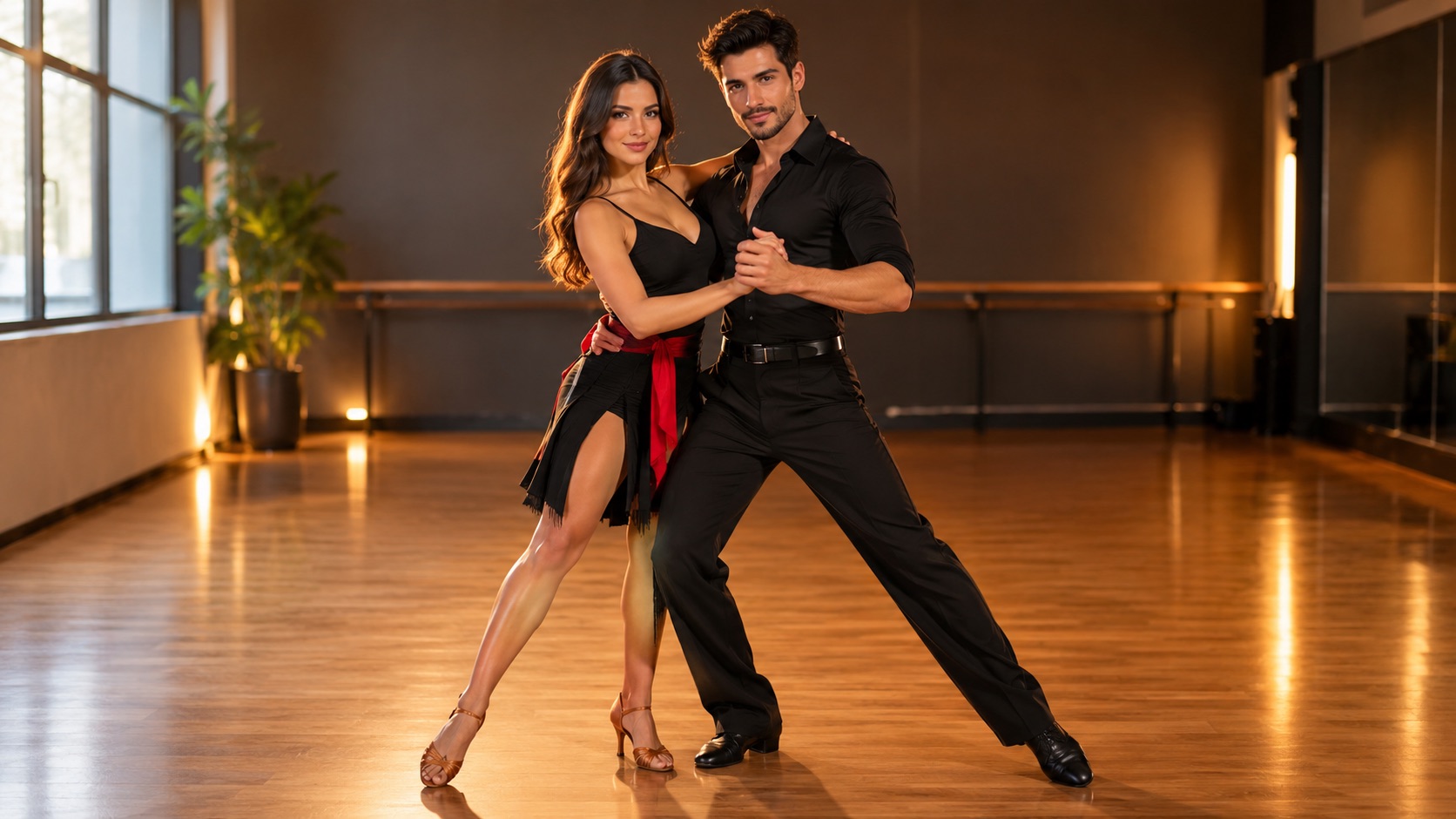
Upload one clear photo of each person, describe a simple side-by-side routine, and Seedance 2.0 generates a 4–15 second clip with both subjects in frame. A 720p · 12s render costs 26 credits; the free preview is 480p · 5s.
Upload one photo and the subject in it performs the dance, keeping the face, hair and body from your picture.
This clip: 26 credits · 7 renders a month for $39.90 (Pro), or 92 a year for $319
Specs at a glance
- Model
- Seedance 2.0
- Input
- One photo per person (up to two)
- Best framing
- 9:16 close pair or 16:9 medium-wide
- Standard cost
- 26 credits for 720p · 12s
- Free preview
- 480p · 5s, once per account
- Output
- MP4, silent, no watermark
How it works
- 1
Use one photo per person
Two separate, front-facing photos give each face a clean reference. A single group photo makes the model guess which body belongs to which face.
- 2
Describe a side-by-side routine
Matching two-steps, mirroring arm swings or a simple sway. Keep both people in frame for the whole shot and avoid lifts, spins or partner work.
- 3
Choose a wide-enough frame
9:16 works if the pair stands close; 16:9 gives more room. A medium-wide shot shows both bodies and the footwork.
- 4
Check faces before you post
If the model swaps the faces, re-upload clearer individual photos and name each person’s position in the prompt: “the taller person on the left” or “the person in the red jacket on the right”.
Why two people are harder than one
Every extra person doubles the identity work. The model has to keep two faces, two outfits and two bodies consistent across every frame, and it has to decide who is who when the reference photos arrive together. That is why separate photos and explicit left/right instructions matter.
Partner dancing — lifts, turns, holds — is much harder than side-by-side movement. The model has to coordinate two bodies in contact, and contact is where limbs duplicate. A mirrored two-step looks intentional and fails far less often.
Framing and wardrobe
A medium-wide shot at chest height keeps both faces and the footwork visible. A close-up loses the dance; a wide shot turns the faces into pixels. If one person is much taller, say so in the prompt so the model does not average their heights.
Matching colours read as a couple without matching outfits. “Both in black, one with a red scarf” gives the model a clear visual link and keeps the two identities separate. Busy patterns on both people make the render noisy.
- One photo per person, face clearly visible
- Side-by-side routine, no lifts or spins
- Medium-wide framing, both bodies visible
- One shared colour cue, not identical busy outfits
When the faces swap
Face swapping is the signature failure of multi-reference generation. The fix is not a longer prompt; it is cleaner references. Use photos with similar lighting and angles, and label each person’s position in the frame.
If the swap persists, generate two solo clips and edit them side by side. It is more work in the editor, but each face gets the whole model’s attention. The couple tool is a shortcut, not a guarantee.
What people use it for
Anniversaries and Valentine’s posts
A short coordinated dance is a warmer post than a photo collage, and it does not need a tripod or a dance class.
Wedding and engagement content
Generate a playful clip from engagement photos for a save-the-date or a social post.
Friends and duos
Two friends, siblings or bandmates. The routine does not have to be romantic; it is just two people moving together.
Brand duos
Two presenters or two mascots in one shot, with matching wardrobe colours described in the prompt.
Frequently asked questions
Read the guide first
Longer, evidence-based walkthroughs for people who want the prompt, the settings and the failure modes before spending credits.
 Photo to dance video: what the AI keeps and inventsWhat actually carries over from a still photo, what the model invents, the most common motion artifacts, and how clip length and resolution change the result.
 Couple Dance Video Guide: Two Photos, One Shared RoutinePut two people in one AI dance clip: why separate photos beat a group shot, framing, wardrobe, side-by-side choreography, face-swap fixes and consent.