Wipe Me Down Dance Meme Guide: Five Seconds, One Joke
A practical guide to the Wipe Me Down dance meme: why five to eight seconds loops, deadpan contrast, captions outside the render, sound, consent and AI labels.
 By Wipe Me Down Dance AI Team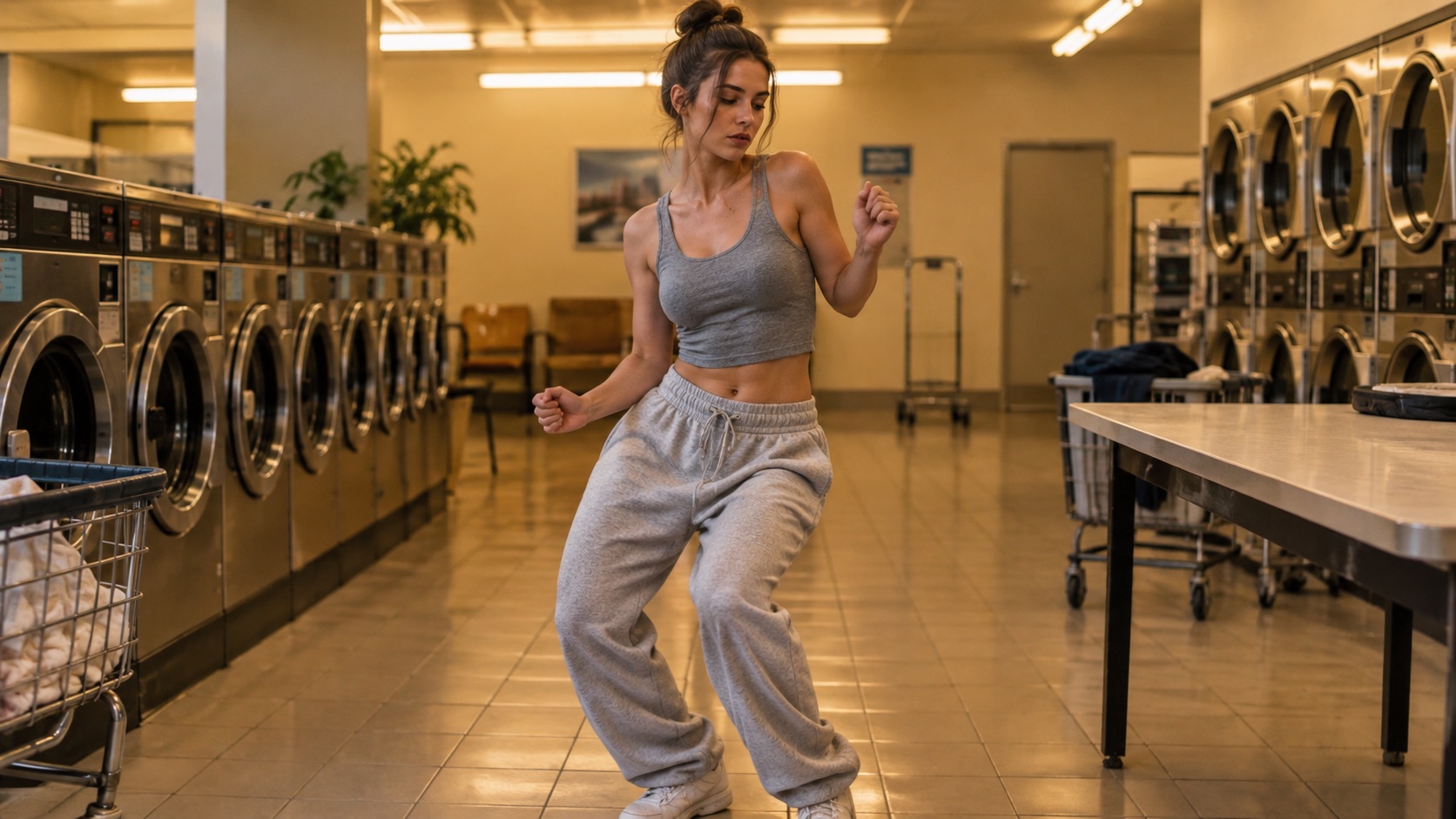
The Wipe Me Down dance meme has a simple contract: one person, one bounce, one straight face, and a clip short enough to replay before the viewer decides to scroll. Everything else, from the look to the caption to the sound, exists to protect that joke.
This guide is about the format, not the history. It assumes you have a photo and want a loop you can post or drop in a group chat. The studio runs Seedance 2.0 and produces a silent MP4 with no watermark, 4 to 15 seconds long, in 9:16, 1:1 or 16:9. The studio offers 5, 8, 10 and 12 second lengths and four looks: Classic, Hype, Smooth and Cute.
Why five to eight seconds loops best
A meme is a reaction, not a performance. Five seconds is enough for one bounce and one return to the starting pose. Eight seconds adds a beat of setup, which helps when the joke needs a small pause before the movement. Ten or twelve seconds is a sketch: it needs a second beat, a reaction, or an edit to justify the length.
The loop matters more than the duration. A clip that ends where it started feels intentional when it repeats. A clip that ends mid-arm-swing shows a jump every time it wraps. The Wipe Me Down bounce is periodic, which is why it loops well: the shoulders roll, the weight shifts, and the body comes back to roughly the same place.
| Length | What it fits | What can go wrong | | ------ | ------------------------------------------ | ---------------------------------------------------- | | 5s | One bounce, one return; a group-chat reply | Cuts a slow start; the subject must already move | | 8s | Setup plus punchline; a feed post | The extra second can expose a drift or a stiff patch | | 10-12s | A second beat or a reaction shot | Needs a reason to be that long; more frames to drift |
Start at five. If the clip feels abrupt, go to eight before you go to twelve. A 480p 5 second preview costs 5 credits, and the first one per account is free, so the first version of a joke is cheap to test. The Generate badge shows the exact cost for the current settings; at 12 seconds, 720p is 26 credits and 480p is 12.
The joke is the contrast
The face should not already be performing. A neutral expression, a direct gaze and a closed mouth give the bounce something to play against. A photo where the person is already laughing or posing gives the model a performance to continue, and the contrast disappears.
Choose the look to set the size of the joke:
- Classic: a relaxed two-step. Deadpan. The safest default for a meme.
- Hype: fast footwork and big arm swings. Chaotic and funnier at the top, but harder on the face and hands.
- Smooth: a slow groove. Ironic, and it works well when the subject looks serious.
- Cute: a small bounce for pets and characters.
A serious face on a loose body is the whole trick. The model is good at keeping the face; the body does the exaggeration. That is also why a sharp, front-facing photo matters. If the face is blurred, the joke is about a stranger.
Keep the frame plain. One person, one room, one movement. Busy backgrounds, extra people and costume changes give the viewer too much to parse before the loop restarts. The funniest version is usually the least produced one.
Put the caption in the app, not in the render
Text inside a generated video is a one-way door. If the spelling is wrong, the line is off-centre, or the joke changes tomorrow, you need a new render. Image and video models are also unreliable with lettering: they can misspell short words, duplicate letters, or turn a caption into a texture.
Keep the MP4 clean and add words where you can edit them:
- The platform caption field for the joke and context.
- The app's text tool for a short on-screen line.
- An editor if you want the same clip on several platforms with different captions.
A clean clip also travels. Someone can quote-post it, add their own caption, or drop it in a chat with a different joke. A baked-in caption turns a template into a finished ad.
Keep on-screen text to one short line, under ten words. The clip is five seconds; the viewer cannot read a paragraph and watch the bounce at the same time. Put the setup in the caption and let the movement deliver the punchline.
Safe area and framing
Render 9:16 for feeds. The studio also offers 1:1 and 16:9, but vertical is the native shape for TikTok, Reels and Shorts, and it fills the screen without letterboxing.
Platform controls sit on top of the video. The caption, username and buttons occupy the edges, especially the bottom and the right side. Keep the face in the upper-middle of the frame, leave the bottom strip clear, and do not put the only readable element where a button will land.
Leave headroom. A crop that touches the top of the head makes the loop feel cramped. Show the feet if the footwork is the joke; a chest-up crop loses most of the dance. A plain background keeps attention on the bounce.
Check the first second. Start with the subject already in frame and already moving. A slow zoom or an empty room wastes the only moment you have. If the render opens on a still pose, trim the clip in the app so the bounce starts immediately.
Sound rules
The render is silent. That is deliberate: the model generates motion, and the audio comes from the platform where the licence lives. Add the sound in the app, from the platform's own library.
The sound is the clock. If the bounce lands on the beat, the clip reads as part of the trend. If the sound starts at a different point, the movement can land late. Trim the clip in the app, or choose a sound whose first beat matches the start of the motion.
Rules that reduce the risk:
- Use the platform's licensed sound, not a downloaded MP3.
- Do not screen-record another video and reuse its audio.
- If the song is not in that platform's library, choose another track or post the clip silent with a caption that carries the joke.
- A silent clip works in a group chat where the sound is already known. In a public feed, it usually needs audio to read as a meme.
Music availability changes by platform and country. A track licensed on one app may not be licensed on another. That is a reason to add the sound inside each app rather than baking one file for every destination.
Consent and AI labels
Only generate a clip of someone who has agreed to it. That includes friends, coworkers and family. A group chat is still an audience, and a post is still publishing.
- Get consent from the person in the photo, not just the person who took it.
- Do not use public figures or strangers.
- Do not put a private person into an embarrassing or compromising scene.
- Label the clip as AI generated on TikTok, Instagram and YouTube.
- Do not present the render as a real recording, a real performance, or the original trend video.
- If someone asks you to take a clip down, take it down.
Labels are not a penalty. They set the expectation that the body was generated, which is the honest reading of the clip. Rules vary by platform and country; the label is the minimum, not a substitute for consent.
Do not imply the subject performed the dance in real life, and do not attach a real person's name to a generated performance in a way that suggests it happened. The clip is a new performance built from a photo, not footage of an event.
A five-step workflow
- Pick a sharp photo with a neutral expression, one person, eyes visible.
- Choose Classic for deadpan, Hype for chaos.
- Render 5 seconds at 9:16. Use the 480p preview first: 5 credits, free the first time per account.
- Check the loop and the face. If both hold, render the posted version at 720p; the badge shows the exact price.
- Download the silent MP4, add the sound and caption in the app, turn on the AI label, and post.
Keep the photo and the prompt. The next variation should change one thing, whether that is the look, the length or the caption, so you know what made it better.
For the generator itself, open the meme dance video generator. If you want the Wipe Me Down bounce specifically, use the Wipe Me Down dance generator. Platform-specific framing, captions and disclosure steps are covered in posting a Wipe Me Down clip on Reels and Shorts.
FAQ
Is five seconds too short?
For a feed, no. It is enough for one bounce and one return, and it loops before attention drops. Use eight if the joke needs a beat of setup.
Can I put the caption in the prompt?
Better not. Rendered text is hard to correct and often misspelled. Add the caption in the app, where you can change the wording, font and position.
Does the clip need the Wipe Me Down song?
The clip is silent. Add the sound from the platform library if it is available. If it is not, another licensed track or a silent post can still work; the joke should not depend on audio alone.
Can I make one from a friend's photo?
Only with their consent. Do not generate a clip of someone who has not agreed, and do not post it if they ask you not to.
Make the five-second version
The guide’s prompt is loaded and editable. You only need a photo.
Wipe Me Down Dance AI TeamWipe Me Down Dance AI turns a photo — or a written prompt — into a short dance video. An independent tool, not affiliated with Foxx, Lil Boosie, Webbie or Trill Entertainment.