AI Dance Video for Pets: Make Your Dog or Cat Dance
 Wipe Me Down Dance AI Team
Turn one pet photo into a short dance video. What makes a dog or cat photo render well, which look to pick, what the model keeps and invents, and what it costs.
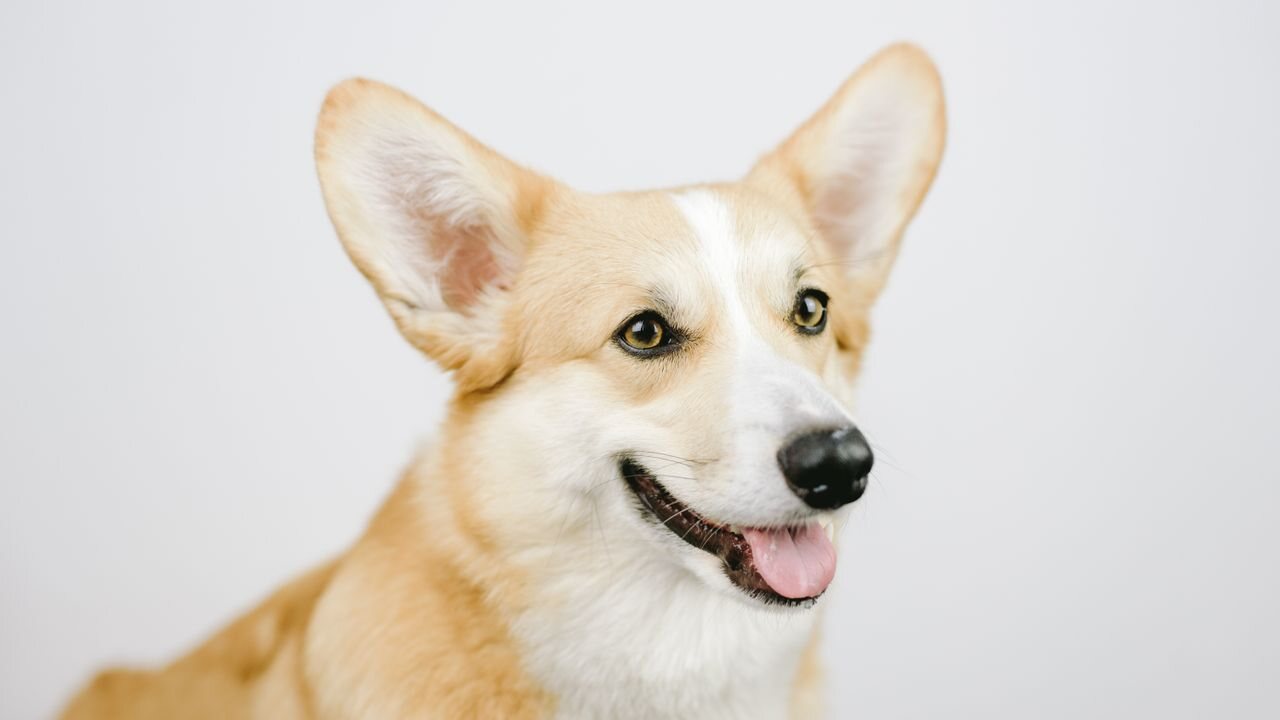
Pets are one of the main reasons people open the studio. A dog caught mid-bounce or a cat doing a two-step is funny in a way that a generic avatar never is, and a pet photo is often the sharpest, best-lit image a person actually owns. Wipe Me Down Dance AI takes a single photo — or, if you have no clear photo at all, a typed description — and renders a short clip of the "Wipe Me Down" dance. This guide is about the pet case specifically: what makes a pet photo render well, what the model keeps from your image and what it invents, which of the four looks to choose, and how to avoid spending credits on a photo that was never going to work.
What the model needs from a pet photo
The render is conditioned on your image, so the photo is not a style hint you can swap later. It is the anchor for the animal's identity. Everything the model knows about your pet comes from that one frame, which means the frame has to show the pet clearly. A photo where the animal fills a small part of the shot, is heavily blurred by motion, or is half-hidden behind furniture gives the model almost nothing to hold onto. It will still return a video, but the animal in it will read as a generic dog or cat with a vague resemblance rather than your pet.
The five things that matter, roughly in order: the whole animal or at least its head and chest; one animal only; a front-facing or three-quarter pose; even light with no hard shadow across the face; and a background simple enough that the model can tell where the animal ends and the room begins.
Pet photo problems and how to fix them
Most disappointing pet renders trace back to the source image, not the model. The table below maps the common problems to a concrete fix.
| Problem in the photo | Why it hurts the render | Fix | | ---------------------------------------- | ------------------------------------------------- | ---------------------------------------------------------------- | | Two or more pets in frame | The model blends two identities into one animal | Use a solo photo, or crop the second animal out before uploading | | Pet is small in a wide shot | Too few pixels describe the face and coat pattern | Crop to head and chest, or retake closer | | Full side profile, face not visible | There is no facial anchor, so the model guesses | Use a front or three-quarter pose | | Harsh flash or a hard shadow on the face | Blown highlights erase fur detail | Indirect daylight near a window | | Cluttered background | The model cannot separate subject from room | Plain wall, bare floor, or a single blanket | | Motion blur | Soft edges read to the model as missing detail | Pick a sharp, still frame | | Dark coat against a dark background | The silhouette disappears | Use a light background or a lit floor | | A screenshot of a photo | Recompression already threw away detail | Upload the original file, not a screenshot |
None of these fixes require special gear. A phone shot taken near a window, with the pet alone and facing you, is close to ideal. The point is simply to give the model one clean subject to anchor on.
What the model keeps and what it invents
It helps to be precise about the split, because that is what you are really buying.
What it keeps, taken from your reference frame: the markings, the fur colour and pattern — merle patches, brindle streaks, tabby stripes, colour points on a Siamese — the ear shape and how the ears sit, the general face shape, the muzzle length, and the eye colour. These are why a crisp close photo pays off so directly.
What it invents: the movement itself, since the choreographed step is generated fresh rather than copied from any video; the room around the pet, unless your photo already contains a distinct background the model can extend; the camera behaviour; and the lighting on anything it invents. Every render is a genuinely new AI performance. It is never a copy of the original trend video or of anyone's recorded dancing.
Choosing a look for a pet
The studio offers four looks, and each suits a different animal. There is no wrong answer, but there is a best first try.
- Cute is the natural default for pets. It is softer and rounder, and it flatters round faces, big eyes and small animals.
- Classic bounce suits a dog with real weight to it — a labrador, a bulldog, a thick-set mixed breed — because the step reads as physical.
- Hype fits high-energy subjects: a young border collie, a jack russell, or a cat whose whole personality is chaos.
- Smooth groove is the pick for long-haired cats and any animal whose charm is slinky, unhurried motion.
If you only render one clip, start with Cute at the default settings. If the animal has strong markings, any look will show them; the look changes the motion feel, not the identity.
Cats, dogs and other animals
Dogs usually read best as whole-body subjects because their silhouette stays legible even when small in frame. Cats work better as head-and-chest, because the face carries the identity and a cat's body can blur into a shapeless mass in motion. Small pets — rabbits, guinea pigs, hamsters — need to fill more of the frame, since the model has less anatomy to anchor and will lean harder on the face.
The species the model handles most reliably are common household pets with clear, forward-facing faces and visible fur texture. If the markings are the whole point of the pet — a calico, a spotted dog, a patterned lizard — show all of the pattern in one clean frame, because the model can only keep what it can see.
When you have no clear photo
Text-to-video is the fallback. You type a description of the scene, between 10 and 2,000 characters, and the model renders from that. This is genuinely useful when the pet has passed away and the surviving photos are old and blurry, or when the pet never sat still for a clean shot. A description that works names the species, the coat, the size, the room and the mood — for example, "a fluffy grey tabby cat doing the wipe me down dance on a kitchen floor, warm evening light."
Be honest with yourself about the trade-off: text gives no identity anchor, so the result is a generic animal that matches the description rather than your specific pet. For structure and examples, see the AI dance video prompts guide.
Credits, and how not to waste them
The default render is Standard · 720p · 12s and costs 10 credits. A 480p render is 5 credits, and 1080p is 60. Longer clips scale linearly from the 12-second table, rounded up to a whole credit. The provider supports 4 to 15 seconds, and the studio exposes 5s, 8s, 10s and 12s across 480p, 720p and 1080p in 9:16, 16:9 and 1:1.
There is no free tier, no signup bonus and no check-in: a new account starts at 0 credits and credits are bought. One default render is 10 credits, the $9.90 Single pack is the cheapest way to try, and there is no free-forever or unlimited plan. If a render fails, its credits return automatically to the balance they came from.
The sensible sequence for a pet: pick your single best photo first, run one default 720p 12-second render at 10 credits, and only step up to 1080p once you like what you see. Spending 60 credits on a 1080p render of a photo that was never going to work is the one mistake worth avoiding. You can see the full credit menu on pricing, and the mechanics of photo input in Make your photo dance.
Frequently asked questions
Does it work for any pet, or only dogs and cats?
It works for any pet you can photograph clearly, but dogs and cats are the most reliable because their faces and fur give the model the strongest anchor. Small mammals, birds and reptiles all render, they just leave less for the model to hold onto, so a tighter, brighter photo matters more.
What happens if two pets are in the photo?
The model tends to merge them into a single animal with mixed features rather than rendering two dancers. Crop the frame to one animal before uploading, or take a fresh solo photo. This is the single most common cause of a disappointing pet render.
Is Cute always the best look for a pet?
Cute is the safest default, especially for round faces and small animals. But a heavy-set dog reads better in Classic bounce, a chaotic young animal in Hype, and a long-haired cat in Smooth groove. The look changes how the motion feels, not who the animal is.
Can I make a dance video for a pet that has died?
Yes. Text-to-video mode lets you describe the pet and the scene when the surviving photos are too blurry to use as a reference. The result will be a generic animal matching your description rather than a portrait-accurate reconstruction, so it is best treated as a tribute rather than a likeness.
How long does a pet render take?
Most standard renders finish in a couple of minutes. 1080p can take longer. The clip downloads to your device as an MP4 at the resolution you chose, and the render stays private to your account — there is no public feed of other people's pets.