Wipe Me Down Dance AI
Wipe Me Down Dance AI — 写真1枚を数分でダンス動画に
写真を1枚アップロードすれば、Seedance 2.0のダンス動画生成があなたの被写体にWipe Me Downのダンスを踊らせます。プロンプトを入力して、テキストだけからレンダリングすることもできます。
クラシック・バウンスのルックによる実際のレンダリング。写真1枚を入れると、12秒が出てきます。
写真を1枚アップロードすると、その中の被写体がダンスを踊ります。写真の顔、髪、体型はそのまま引き継がれます。
このクリップ:10クレジット · Proなら月20本で$39.90、年240本で$319
4つのルック、4通りの表現
各カードは、スタジオの4つのルックのひとつです。プロンプトをコピーして自分の写真を追加すれば、同じ動きがあなたの被写体で再現されます。
写真1枚から、Wipe Me Downのダンスへ
1ページに4つのステップ。どのレンダリングも同じモデル、Seedance 2.0のスタンダードティアが担当します。
1 · 写真を1枚
写真の顔、髪、体型、服装がレンダリングに引き継がれるので、踊っている被写体がアップロードしたそのものだとわかる仕上がりになります。
2 · ルックを選ぶ
クラシック・バウンス、ハイプ、スムース・グルーヴ、キュート。それぞれのルックは完全なプロンプトで、クレジットを1つ使う前に読んで、コピーして、編集できます。
3 · モデルがレンダリング
Seedance 2.0は、途切れのない縦型クリップを1本生成します。タイムラインもキーフレームも、用意する参照動画も不要です。480p・720p・1080pから選び、長さは5秒から12秒のあいだで指定できます。
4 · テキストから始める
写真を空のままにして、代わりにシーンを描写します。誰が踊るのか、どこに立つのか、光がどう当たるのか、カメラをどこに置くのか。「テキストから動画」は言葉だけからレンダリングします。
料金はボタンのそばに
「生成」の隣のバッジには、既定のStandard · 720p · 12sでこのレンダリングに10クレジットかかることが表示されます。480pは5クレジット、1080pは60クレジットで、設定を変えた瞬間に数値が更新されます。
既定で非公開、投稿するのはあなた
レンダリングは公開フィードに掲載されるのではなく、あなたのアカウントに紐づけて保存されます。失敗したレンダリングはクレジットを返し、単発のクレジットパックは有効期限がありません。
Wipe Me Down Dance AI 料金 — クレジットとサブスクリプション
クレジットは月額・年額・単発で購入できます。標準的な12秒のダンスのレンダリングは10クレジットで、各カードには価格、クレジット数、動画1本あたりの料金が表示されます。
Starter
Two standard videos a month — enough to test the trend.
- 20 credits
- 2 standard videos · Standard · 720p · 12s
- New credits each billing month
- Unused credits expire each month
- Cancel future renewals anytime
Basic
Six standard videos a month for a weekly posting rhythm.
- 60 credits
- 6 standard videos · Standard · 720p · 12s
- New credits each billing month
- Unused credits expire each month
- Cancel future renewals anytime
Pro
一番人気Twenty standard videos a month, and twice the credits of the $39.90 credit pack.
- 200 credits
- 20 standard videos · Standard · 720p · 12s
- New credits each billing month
- Unused credits expire each month
- Cancel future renewals anytime
Studio
Fifty standard videos a month for daily posting and client work.
- 500 credits
- 50 standard videos · Standard · 720p · 12s
- New credits each billing month
- Unused credits expire each month
- Cancel future renewals anytime
単発クレジットパック
Single
One standard video. Start here.
- 10 credits
- 1 standard videos · Standard · 720p · 12s
- Credits never expire
- No subscription required
Duo Pack
Three standard videos, no subscription.
- 30 credits
- 3 standard videos · Standard · 720p · 12s
- Credits never expire
- No subscription required
Party Pack
一番人気Ten standard videos. Same price as Pro monthly — Pro gives 200.
- 100 credits
- 10 standard videos · Standard · 720p · 12s
- Credits never expire
- No subscription required
Crew Pack
Twenty-five standard videos for a shoot week.
- 250 credits
- 25 standard videos · Standard · 720p · 12s
- Credits never expire
- No subscription required
Studio Pack
Sixty standard videos at the lowest pack price.
- 600 credits
- 60 standard videos · Standard · 720p · 12s
- Credits never expire
- No subscription required
動画本数と動画1本あたりの価格は、標準のレンダリング(Standard · 720p · 12s、10クレジット)を基準にしています。
動画1本の料金
| 480p · 12s | 5 クレジット |
| 720p · 12s | 10 クレジット |
| 1080p · 12s | 60 クレジット |
標準動画1本は10クレジット(Standard · 720p · 12s)。それより長いクリップはこれを基準に比例計算し、1クレジット単位で切り上げます。同じ12秒でも、480pは5クレジット、1080pは60クレジットです。
同じ$39.90でも内容が違います。Proサブスクリプションは毎月200クレジットで更新され、単発のParty Packは100クレジットを一度だけ付与します。毎月レンダリングするならサブスクリプションのほうがお得です。
StripeとYito Payによる安全な決済 · クレジットパックは有効期限なし · サブスクリプションは解約するまで更新
生成前のよくある質問
レンダリングの料金、アップロードした写真の扱い、所要時間、そして完成したファイルでできることをまとめました。
ガイドとプロンプト
Wipe Me Downのダンストレンドがどのように始まったのか、プロンプトに何を書くか、きれいにダウンロードする方法、そしてレンダリングに実際いくらかかるのかを解説します。
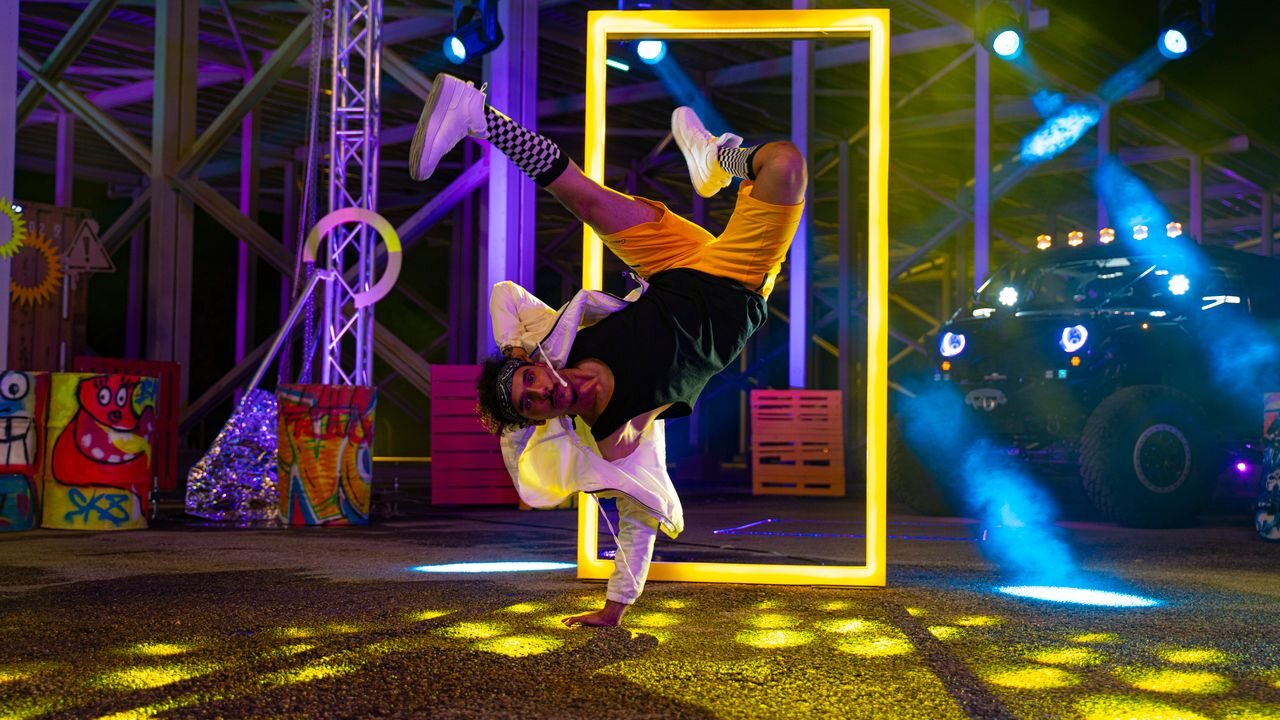
Wipe Me Down Dance AI: Photo to Dance Video Generator
Wipe Me Down Dance AI turns one photo, or a typed prompt, into a short dance video with Seedance 2.0. Here is what it renders, and what one clip costs.
 Wipe Me Down Dance AI Team
How to make a Wipe Me Down dance video: seven steps
Upload a photo or type a description, choose a look, set resolution and length, render, then download the MP4: the Wipe Me Down dance AI workflow, step by step.
Wipe Me Down Dance AI Team
AI dance video prompts: how to write one that works
The anatomy of a dance prompt, the four studio looks as editable text, eleven copy-paste examples for photo and text mode, and fixes for renders that drift.
Wipe Me Down Dance AI Teamその写真は、もう踊り方を知っている
写真をアップロードして4つのルックから1つを選ぶだけ。Seedance 2.0が数分で縦型クリップをレンダリングします。タイムラインも編集ソフトも不要で、インストールするものもありません。