Wipe Me Down Dance AI: Photo to Dance Video Generator
 Wipe Me Down Dance AI Team
Wipe Me Down Dance AI turns one photo, or a typed prompt, into a short dance video with Seedance 2.0. Here is what it renders, and what one clip costs.
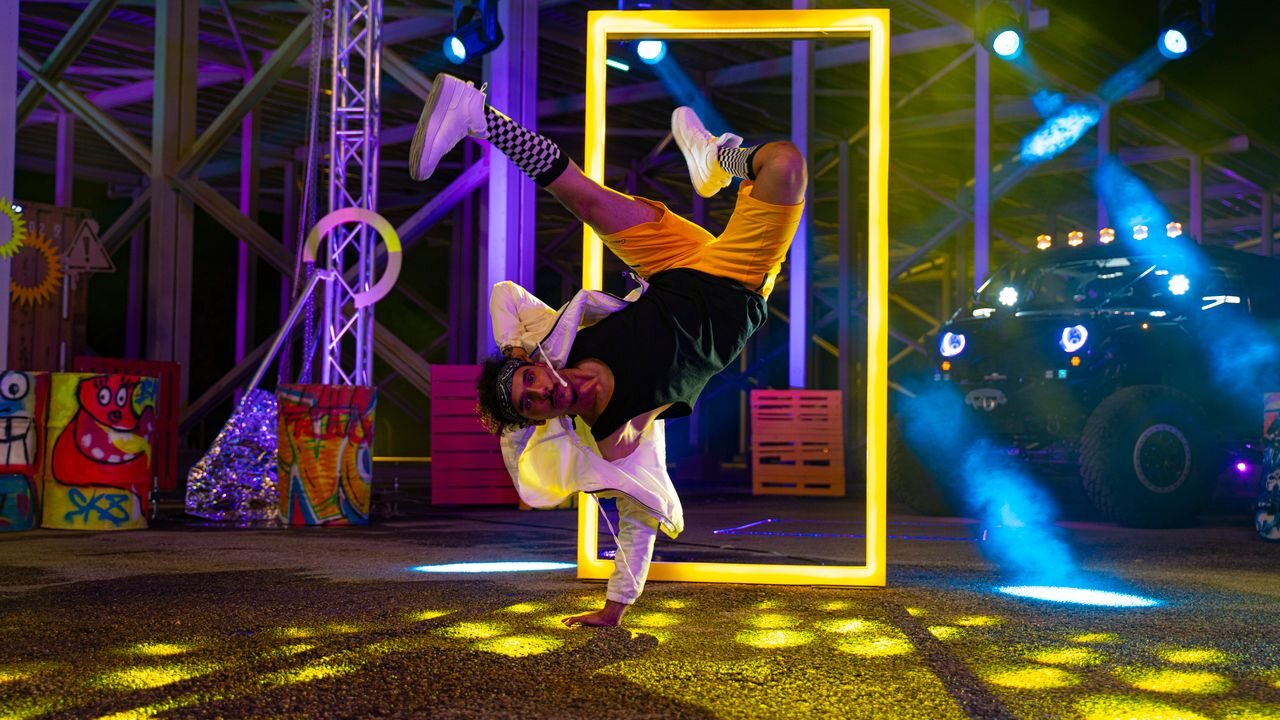
Wipe Me Down Dance AI is a browser tool that takes one photo — a selfie, a friend, a pet, an avatar — and renders a short video of that subject performing the Wipe Me Down dance. If you have no usable photo, the same page renders from a written description instead, and the model builds the scene from your words. There is no timeline to assemble, no keyframes to place and no motion-reference video to hunt down: the movement is generated, not transferred.
That last sentence is the part most people get wrong when they first search for this. This page explains what the generator actually does, what it costs, what it refuses to do, and how to get a usable clip out of a single picture.
Lade ein Foto hoch, und das Motiv darin führt den Tanz aus – Gesicht, Haare und Körper bleiben aus deinem Bild erhalten.
Dieser Clip: 10 Credits · 20 Renderings im Monat für $39.90 (Pro) oder 240 im Jahr für $319
What "Wipe Me Down dance AI" means in practice
Two separate things share the name.
The dance is a real-world trend. As of October 2026 people post clips of themselves performing a choreographed step to "Wipe Me Down", a record from 2007. Demand for it is visible in search: people look for the original clip, the tutorial, and the name of the song behind it.
The AI side is new. Google returned no autocomplete suggestions at all for the exact phrase "wipe me down dance ai" when we checked in October 2026, while the generic category — AI dance video generator — is well established. So the honest summary is this: the dance is popular, the AI version of it is early, and this product exists to close that gap. What you get is a genuinely new clip generated from your photo, not a copy of somebody else's post.
If you want the history of the trend rather than the tool, read what the Wipe Me Down dance is.
The model behind every render
Every clip is generated by Seedance 2.0, ByteDance's video model, on its standard tier, served through the provider kie.ai. The studio calls the model id bytedance/seedance-2 for both input modes.
The model accepts a reference image, a text description, or both at once. That single fact is what makes a two-mode studio possible without two products:
- Photo to video — your picture is the first reference and the prompt asks the subject in it to dance. Face, hair, body shape and clothing are carried over, so the dancer is recognisably the person or animal you uploaded.
- Text to video — no picture at all. You describe who dances, where they stand, how the light falls and how the camera moves, and the model renders from that description.
A render is one continuous shot. The provider range is 4 to 15 seconds and the studio offers 5, 8, 10 and 12 seconds at 480p, 720p or 1080p, in a 9:16, 16:9 or 1:1 frame. Nothing is stitched together afterwards, which is why a single clear action — one dance move, one camera push — comes back cleaner than a sequence of set pieces.
The four looks
Rather than ask you to write a prompt from nothing, the studio ships four looks. Each one is a full text instruction you can read, copy and edit before you spend a credit.
| Look | What the render does | Credits at 12s, 720p | | ------------------ | ------------------------------------------------------------------------------------------------------------------------------------------------------------------- | -------------------- | | Classic bounce | A relaxed two-step: shoulders roll, weight shifts side to side, arms swing loose, one hand-push away from the body on every second bar. Medium shot, slow drift in. | 10 | | Hype | Fast footwork, big arm swings, hard landings on the beat, a sideways tracking camera and a slight low angle. | 10 | | Smooth groove | A slow groove with fluid shoulder and arm waves and a slow orbit from the side to the front, in soft directional light. | 10 | | Cute | A miniature version of the same bounce: small hops in place, ears or sleeves bouncing, one paw or hand lifted on the beat, warm light at eye level. | 10 |
All four cost the same at the same settings. The prompt guide covers how to edit them without breaking the parts that keep the identity intact: writing dance video prompts.
What one render costs
Pricing is per render and it is shown before you press Generate, not after.
| Spec | Credits | What it looks like | | -------------- | ------- | ---------------------------------------------------------------- | | 480p · 12s | 5 | Rough drafts and quick checks of a new prompt | | 720p · 12s | 10 | The standard render. This is what every card prices against. | | 1080p · 12s | 60 | Finishing a clip you already know works |
Longer clips scale linearly from the twelve-second table and are rounded up to a whole credit. So a 5-second 480p test is cheap, and a 12-second 1080p clip is the expensive end of the same slider.
There is no free tier, no signup bonus and no check-in: a new account starts at 0 credits, and credits are bought.
- Signup: 0 credits. Creating an account grants nothing, and that does not change later — there is no daily claim, no popup and no earn-credits path.
- One-time packs: from the $9.90 Single pack (10 credits) upward; pack credits never expire.
- Subscriptions: from $9.90 a month for 20 credits, with yearly billing saving up to 34% against twelve monthly payments.
The cheapest way to try a render is the $9.90 Single pack, which is exactly one Standard · 720p · 12s clip. There is no unlimited plan and no free-forever tier. The full table is on pricing.
If a render fails, the credits go back to the balance they came from, in full. A clip that was never produced is not charged.
What the generator cannot do
Being precise here saves credits.
- It does not take a video as input. You cannot upload a clip and transfer its motion onto your photo. The input is a photo, a prompt, or both.
- It does not swap faces. There is no celebrity face-swap step and no way to put a specific public figure into a render.
- It does not copy the original choreography frame by frame. The model produces a new performance from your direction. The result is not the trend video and should never be presented as it.
- It does not guarantee a likeness. Identity retention is strong with a good photo and drifts with a bad one.
- It does not offer a paid removal of anything. The clip you download is the finished render at the resolution you chose.
Make your first clip
- Pick a mode. Photo to video if you have a picture, text to video if you only have an idea.
- Add the photo, ideally one subject, front-facing or three-quarter, whole body or waist-up, well lit, nothing covering the face. JPG, PNG or WebP up to 10 MB.
- Choose a look to fill the prompt, then edit it — add a place, a colour, a camera move.
- Set resolution, length and frame. 9:16 vertical is the default because that is what short-form feeds show.
- Read the credit badge. It updates with every setting you touch.
- Press Generate and wait. Most standard renders finish in a couple of minutes; 1080p takes longer.
- Download the MP4 from the studio or from My videos, then post it.
The long version, with the mistakes to avoid at each step, is in how to make a Wipe Me Down dance video.
Frequently asked questions
Do I need to write a prompt to use this?
No. Pick one of the four looks and, in photo mode, the render starts from that text alone. Editing the prompt is how you get something specific.
Can I make a pet dance?
Yes, and it is one of the most popular uses. Dogs, cats and other animals work from a clear photo, and the Cute look is tuned for smaller subjects. See AI dance videos for pets.
Does a render take a long time?
Most standard renders come back in a couple of minutes. The page polls the real job status, so you are looking at the true state of the render rather than an animation.
What happens to the photo I upload?
It is stored against your account, used as the reference image for the render, and passed to the AI provider that runs the model. It is not published to a feed and not used to train our own models. Deleting your account deletes the media.
Is the result mine to post?
Yes, including commercially, with two conditions: only upload photos you have the right to use, and do not claim an AI render is a real recording or the original trend clip.
Where to go next
If you are still deciding whether this is the right tool, the free-tier question explains why nothing here is free and what a render actually costs, and how this compares with other generators sets out the criteria that decide whether a dance render is usable at all. When you are ready, the studio is one click away.